.png)

AI PRESCREENING
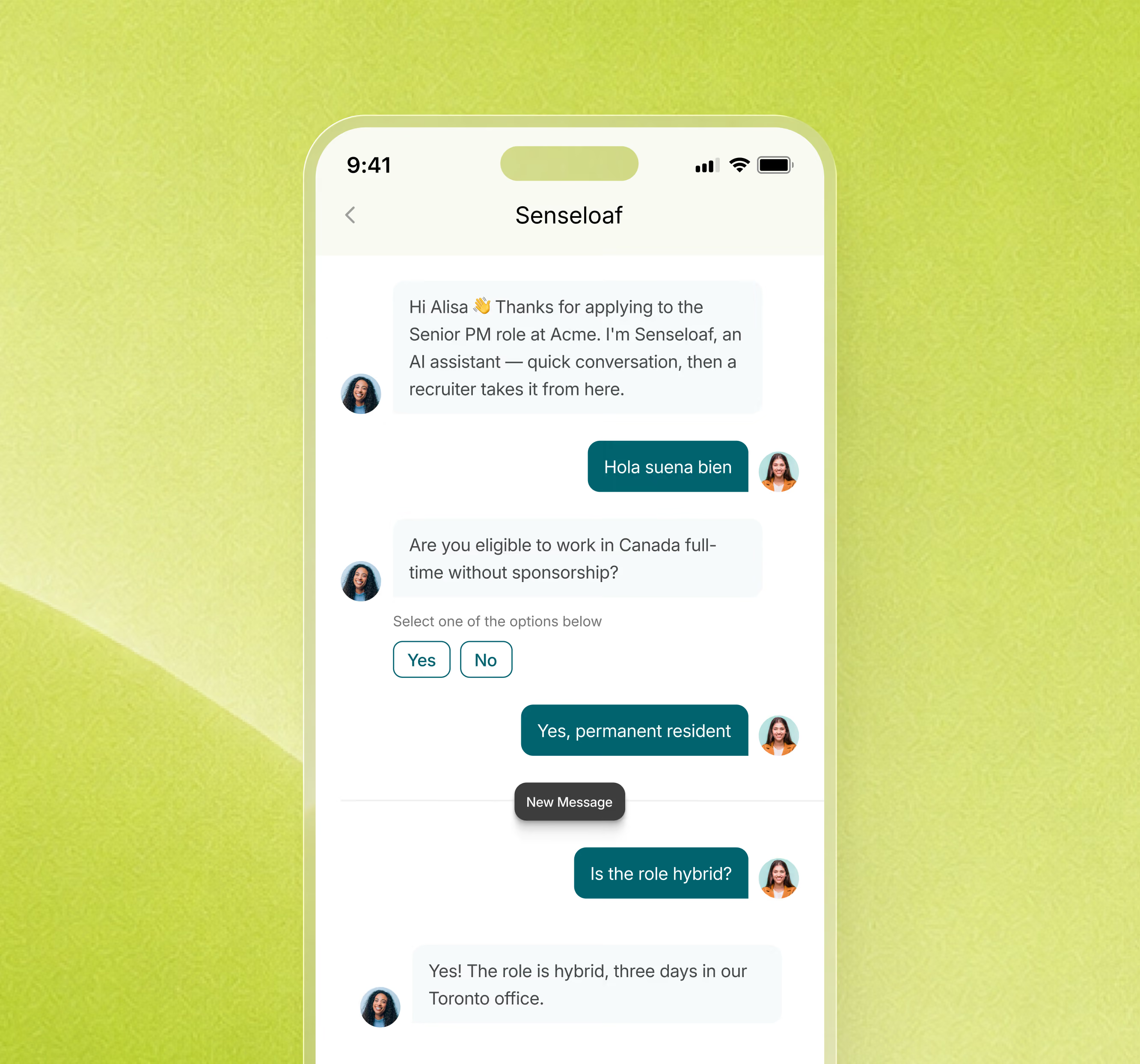
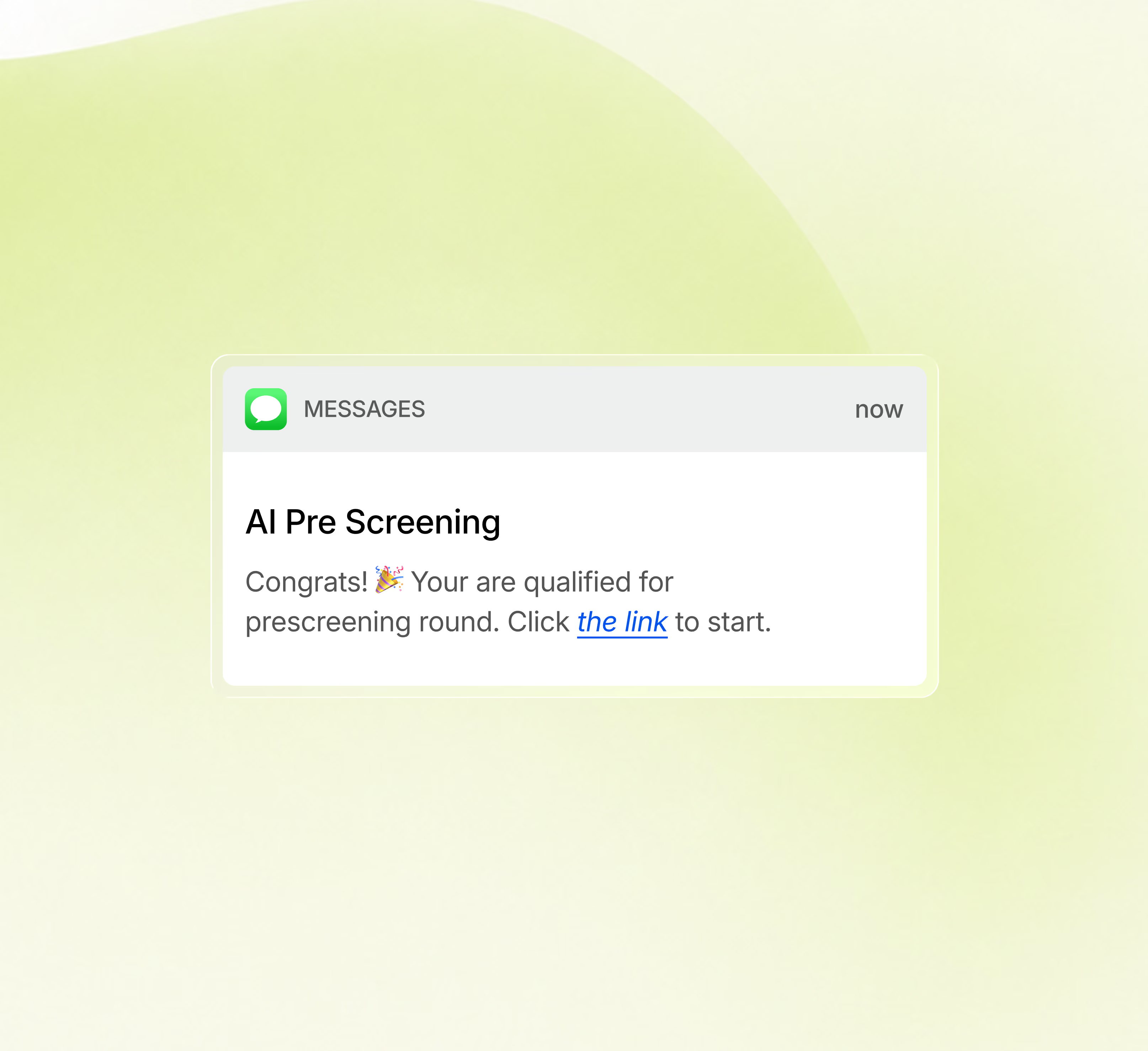
Every applicant answers the same questions over SMS, WhatsApp, or email, scored against your rubric, with disqualifiers flagged before your team spends a minute.
TRUSTED BY TALENT TEAMS WHO HIRE AT SCALE












THE CHALLENGE
Screening happens on a call nobody records, against questions nobody wrote down, and ends in a note that says "not a fit."

Most applications arrive before anyone can read them

Time a recruiter gives each applicant at peak

Applicants who never hear anything back

INSIDE A PRSCREENING
The agent runs the conversation and scores every answer as it goes.
.svg)
.svg)
.svg)

.svg)
.svg)

How PRESCREENING works
Stage 01 · The Trigger
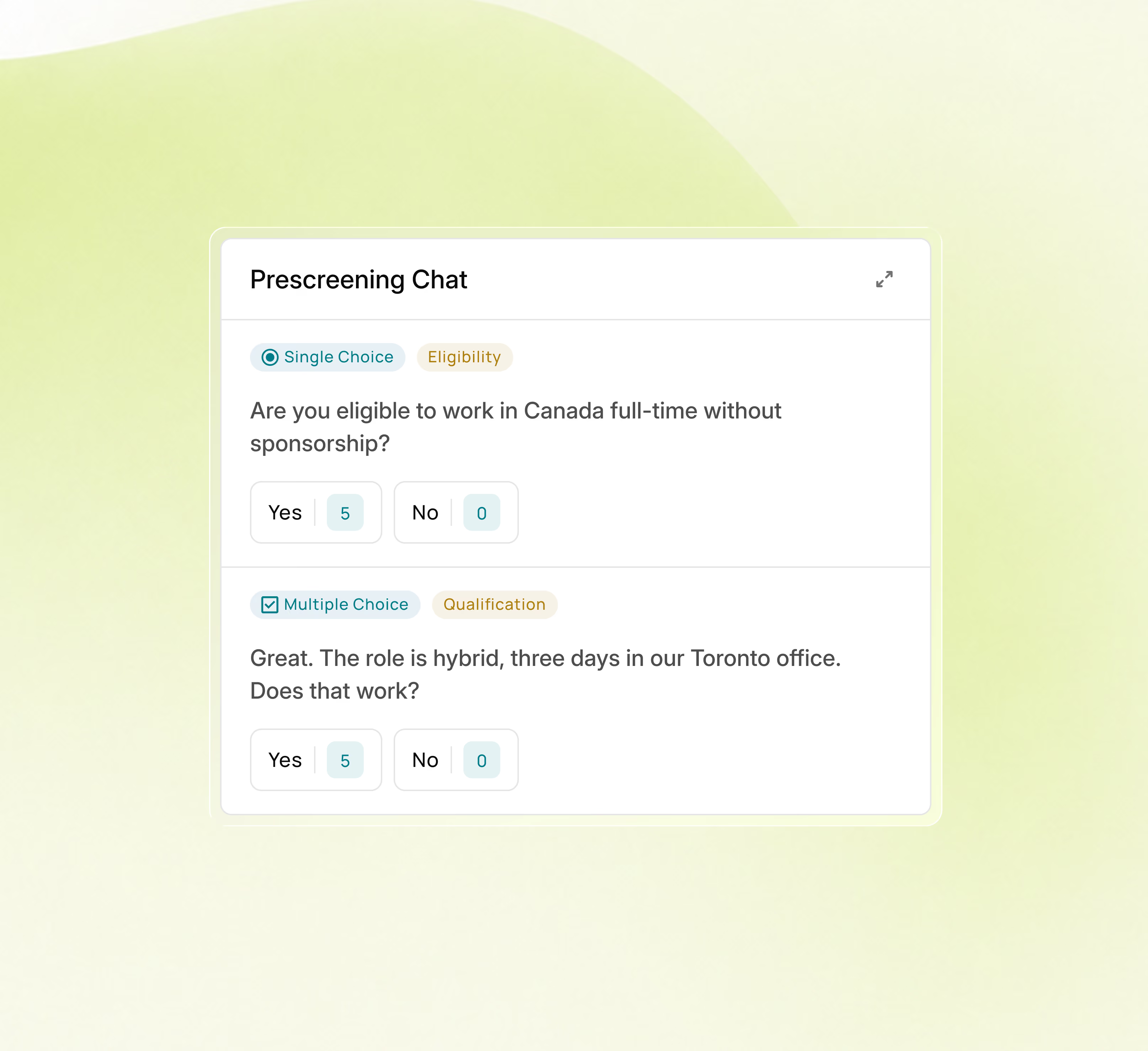
Knockout questions in a fixed order. Hard facts on work authorization, salary, and notice period, plus a read on motivation.
Stage 02 · The Conversation
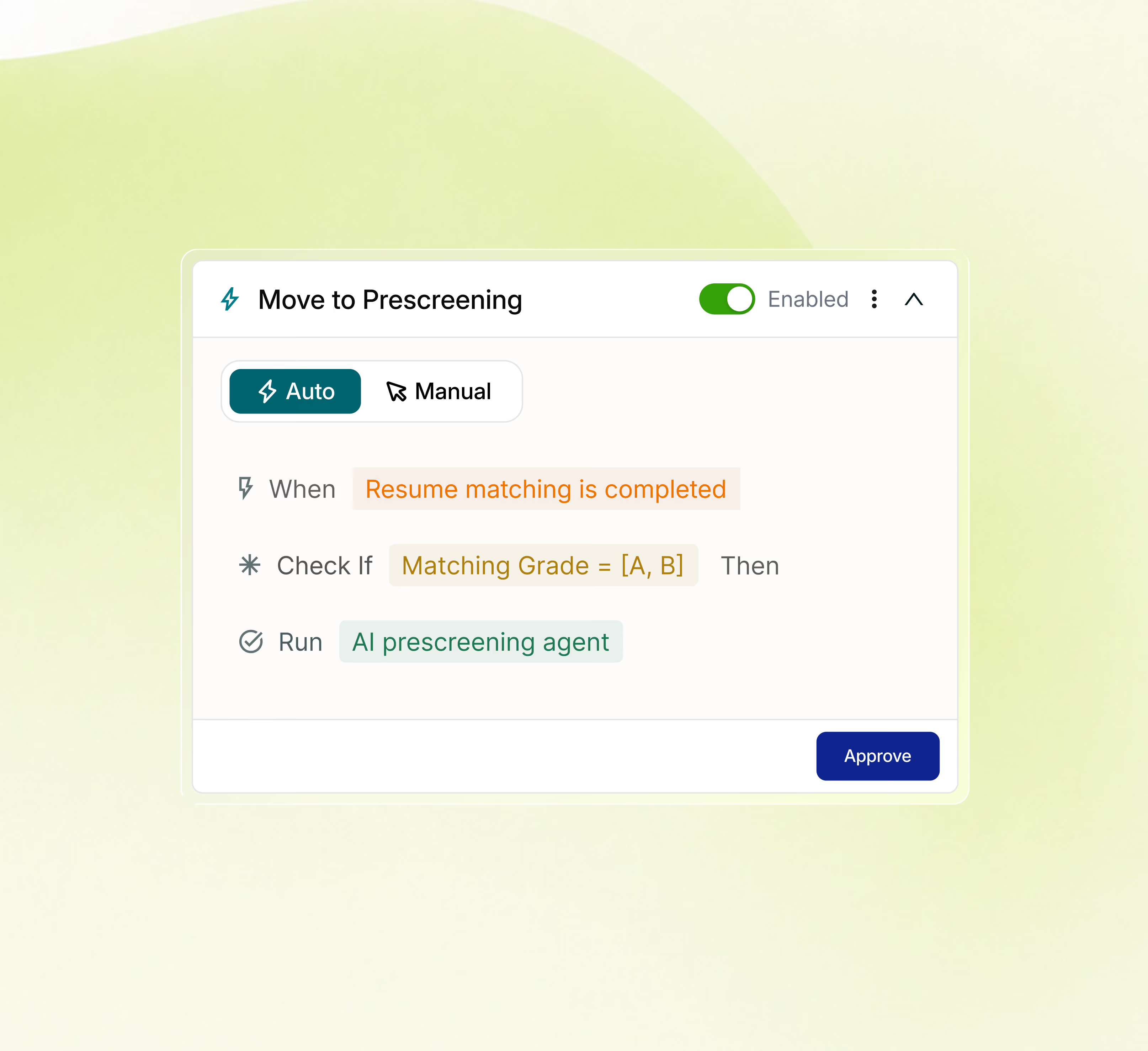
Full automation or recruiter review on every role, your call. Adjust the flow, question order, or scoring weights any time, with earlier versions kept.
Stage 03 · The Signal Update
SMS, WhatsApp, or email. The agent handles candidate FAQs from your knowledge base and sends deadline reminders — 24/7, with no scheduling from you.
Stage 04 ·The Handoff
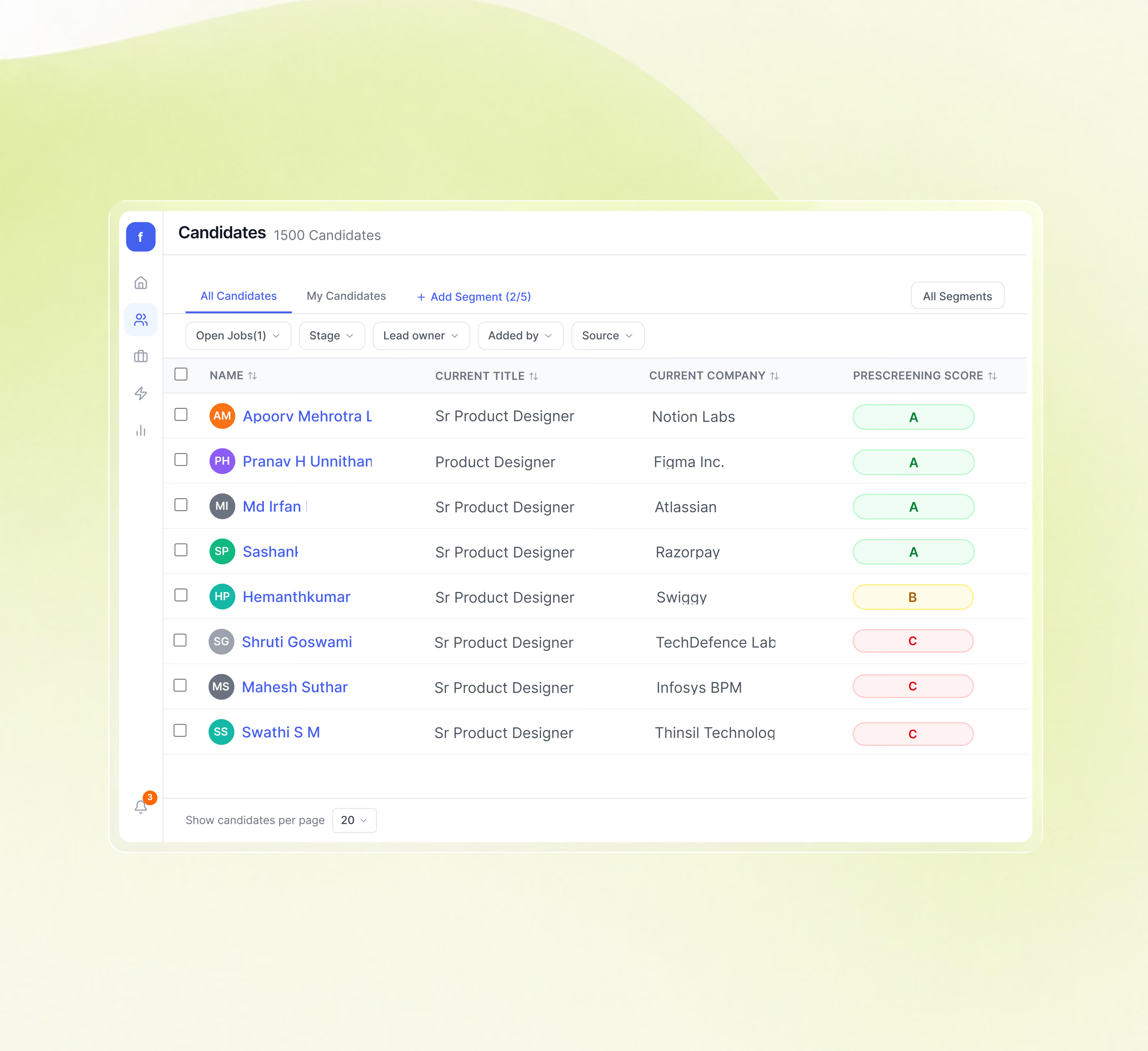
Fit scores and scorecard breakdowns write back as native records in your ATS. Talent pool candidates surface alongside fresh applicants.
WHAT YOU SEE

Applicants ordered by post-prescreening fit score, with the change from their resume score visible.

Every question and answer, on SMS, WhatsApp, or email. Searchable, quotable, exportable.

Every score change links to the answer that caused it — defensible to the hiring manager and to the candidate.
ON CANDIDATE SIDE

The agent introduces itself, the candidate consents before answering, and can ask questions back from your knowledge base.

Within minutes of applying, a message arrives on the channel they chose — not three days later, not never.

Available around the clock. Median completion is six minutes, paused and resumed whenever they want.
Growth in annual hiring volume
Candidate Experience Score
Manual screening effort removed


ATS integration
SIA connects to your existing ATS, reads candidate data where it lives, and writes scores, conversations, and interview results back where your team will actually find them.
See all Integrations ->











DECISION GOVERNANCE IN ACTION
You don't always want to click through a pipeline. Sometimes you just need to know, “who finished an AI interview but hasn't been shortlisted?” or “who are the top five candidates for this role?”



AI cOMPLIANCE IN ACTION



FREE
Qualified buyers run the full 14 days at no cost.

REAL
We pick one high-volume role with your team, configure the screening flow and knockout rules, run on every applicant.

SUPPORTED
Setup, screening flow, FAQ knowledge base, and day-14 success report owned by the Senseloaf solutions team.
The comparison
The category looks identical on a feature checklist. The differences only show up in production.

Score lifecycle

Re-scored on every new signal. The prescreening score compounds with screening evidence into a post-screening fit score.
Set at apply, never updated.

Interaction depth
A two-way conversation. The agent asks, follows up when an answer is vague, and answers candidate questions from your knowledge base.
Scripted questionnaire nodes. One-way, and candidates drop off mid-form.

Channels
Omnichannel. SMS, email, and WhatsApp.
Human intervention needed at every touchpoint.

Candidate reminders
Automated nudges before the deadline, on a cadence you configure.
None, or dependent on someone remembering.

Score evidence
Every score links to the source line in the conversation. Defensible in an audit.
Opaque output. Hard to defend when questioned.

Bias audit
Scheduled, with results published to you
Ad hoc, only on request.

Scale
100 candidates screened autonomously.
Linear. One recruiter, one conversation at a time.

Funnel velocity
Real-time or on-demand trigger. Conversations start within minutes of an application.
Batch processing with latency. Your top candidates accept elsewhere first.

A chatbot puts a chat window over a form: it collects answers and hands them to a recruiter to read. Senseloaf designs the assessment first. SIA builds the question set from the job, with per-option scoring, category tags and hard requirements attached to individual questions, so the conversation produces a graded result rather than a form waiting in a queue.
A hard requirement you set yourself can, and that is the point of setting it. Mark a question as a disqualifier, like work authorisation or a required licence, and a candidate who fails it is knocked out at the question level. You wrote the rule, so it executes. AI assessments never decide: a prescreening score goes to a human.
Several ways. Generate it from the job description, start from a prebuilt role template that arrives with default scoring and knockouts set, generate by category, paste your own guidance, or upload a completed spreadsheet. Then set each question’s type, its per-option scoring and whether it is a disqualifier, and reorder by dragging. You write the greeting and closing message.
Either automatically or on your trigger. With your ATS connected, prescreening fires when an application arrives, and recruiters can launch it from the dashboard instead, for one candidate or in bulk. It reaches them within minutes, by SMS or email, whichever you configure. Candidates answer on their own schedule rather than waiting for a recruiter.
A prescreening report card in two panels: the evaluation on the left, the candidate’s actual responses with timestamps on the right. Any disqualifier that fired is flagged. So you can check what produced a score against what the candidate actually said, on the same screen, without opening a transcript separately.
Prescreening summaries, scores and statuses sync into your ATS candidate view, and the conversation, insights, responses and knockout flags open from there in one click. Full transcripts and analysis live in Senseloaf. Senseloaf connects to 21+ ATS and HCM platforms, and the integrations page has the specifics for your platform.
Yes. The 14-day free trial includes the ATS connector, with no credit card and no commitment. Connect your ATS, configure a question set for a live role, and let it run on real applicants rather than a demo dataset. You see how it performs on your own pipeline before deciding.
Prescreening handles 100s of candidates autonomously, running every conversation in parallel rather than one after another. A recruiter is not in the loop for any of them until the scores come back, so a spike in applications does not create a backlog and your top candidates are not waiting while you work down a list
They get more than one attempt, so a conversation abandoned halfway is not the end of it, and automated reminders go out before the deadline on a cadence you configure. If they never respond, that shows on the candidate listing as a status rather than sitting silently in your pipeline.
Yes, and it is how consistency actually happens. Save any question set as a template and reuse it, so every candidate for a similar role answers the same questions and is scored the same way. Nobody rebuilds it from memory each time, which is where inconsistency between requisitions usually comes from.
With the knowledge base add-on, yes. Point it at your own source material and the agent answers candidate questions about the role and the process during the conversation, then passes anything that needs a person to the recruiter. Candidates get an answer while they are still engaged rather than after they have dropped off.
Consent is captured before any message goes out, and candidates can unsubscribe at any point. Nobody is texted who has not agreed to be, and opting out ends the messages without ending their application. The invitation is yours to write, so the wording candidates see before they consent is your own.
Every candidate answers the same question set, scored against the same per-option scoring your team configured. Every score sits beside the timestamped response that produced it, and configurations are retained so the version applied to a past candidate is still on file. Personal identifiers are stripped before data reaches the model, and SIA refuses instructions tied to legally protected characteristics.
Bias audits are scheduled rather than run on request, and the results are published to you. That matters because an audit you have to ask for is an audit that happens after something has gone wrong. For questions about a specific regulatory framework in your jurisdiction, talk to our team.
Prescreening runs in the same language range as matching, covering over 60 languages. A candidate completes the conversation in their own language while your team reads the results in theirs, so you do not need a separate screening process or a translation step before evaluation for each region you hire in.
Let's talk
You've seen what AI Prescreening does. Now witness it on your data.
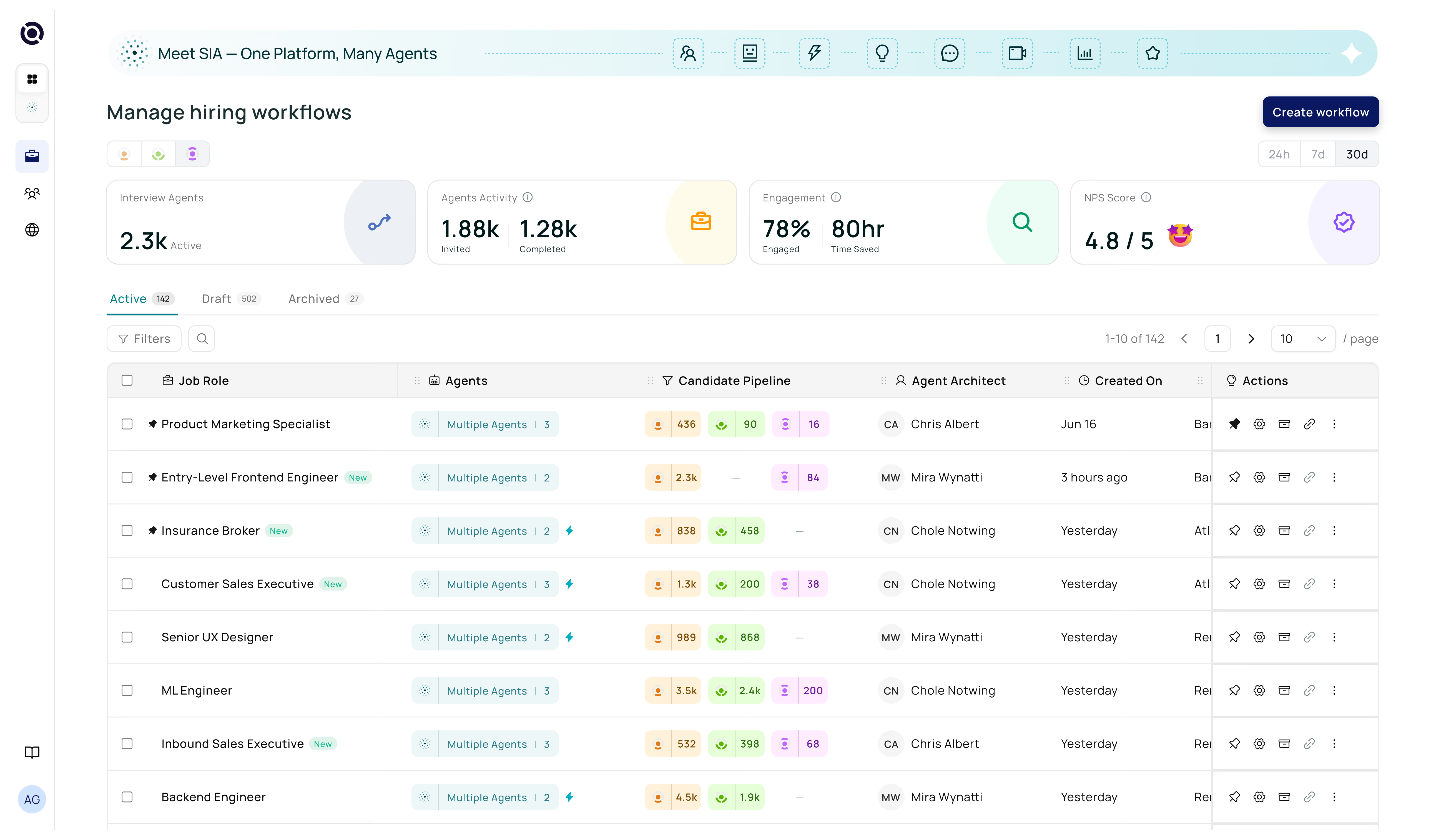

Find your next best hire with SIA
US Office
10216 Wind Cave Trl Austin, Texas, 78747
India Office
#42, Akshaya, Sugama Layout, Akshayanagar, Bangalore 560068
Contact Us
+1 (254) 279-4695