.png)


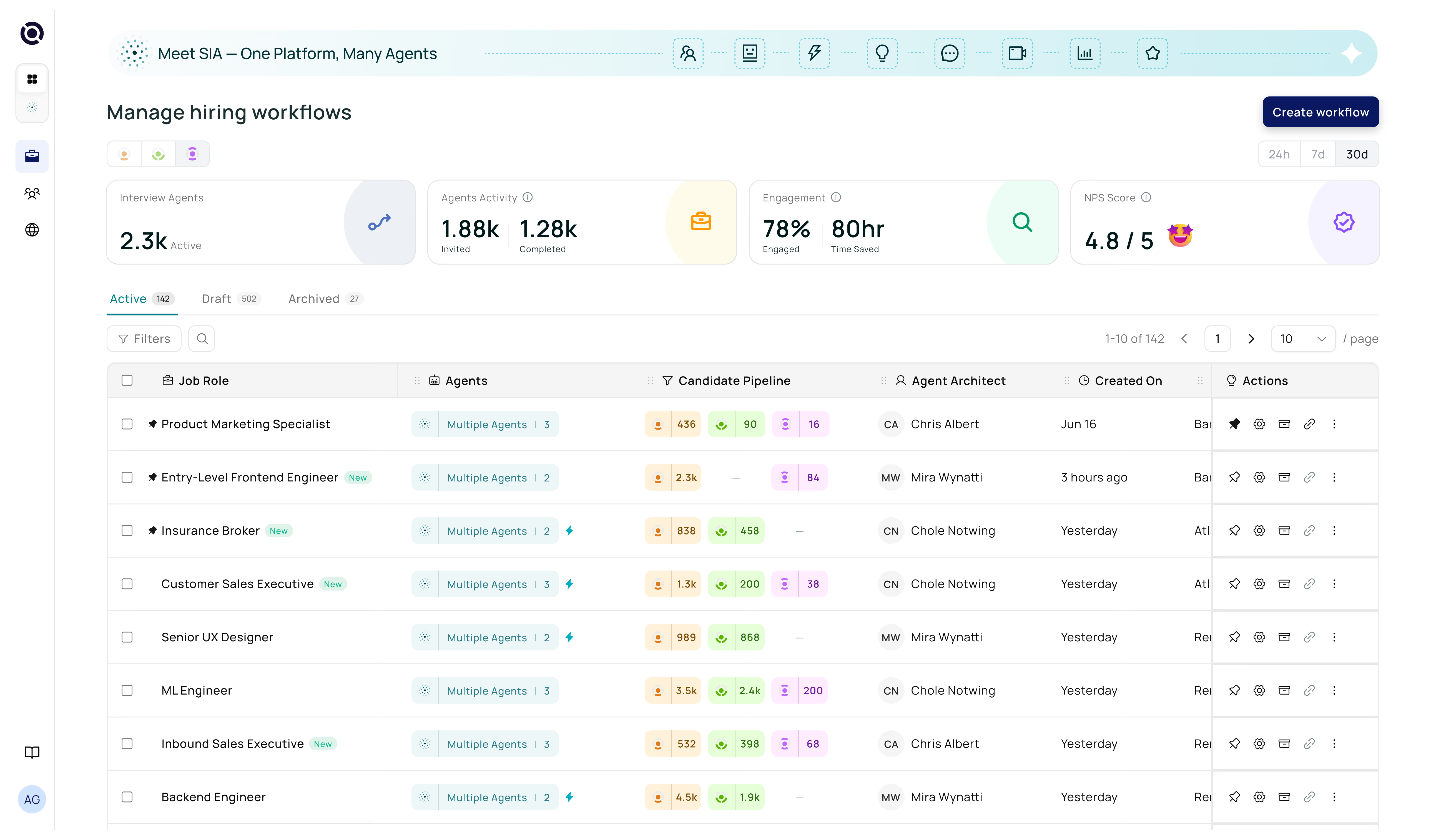
AI hiring — powered on SAP SuccessFactors.
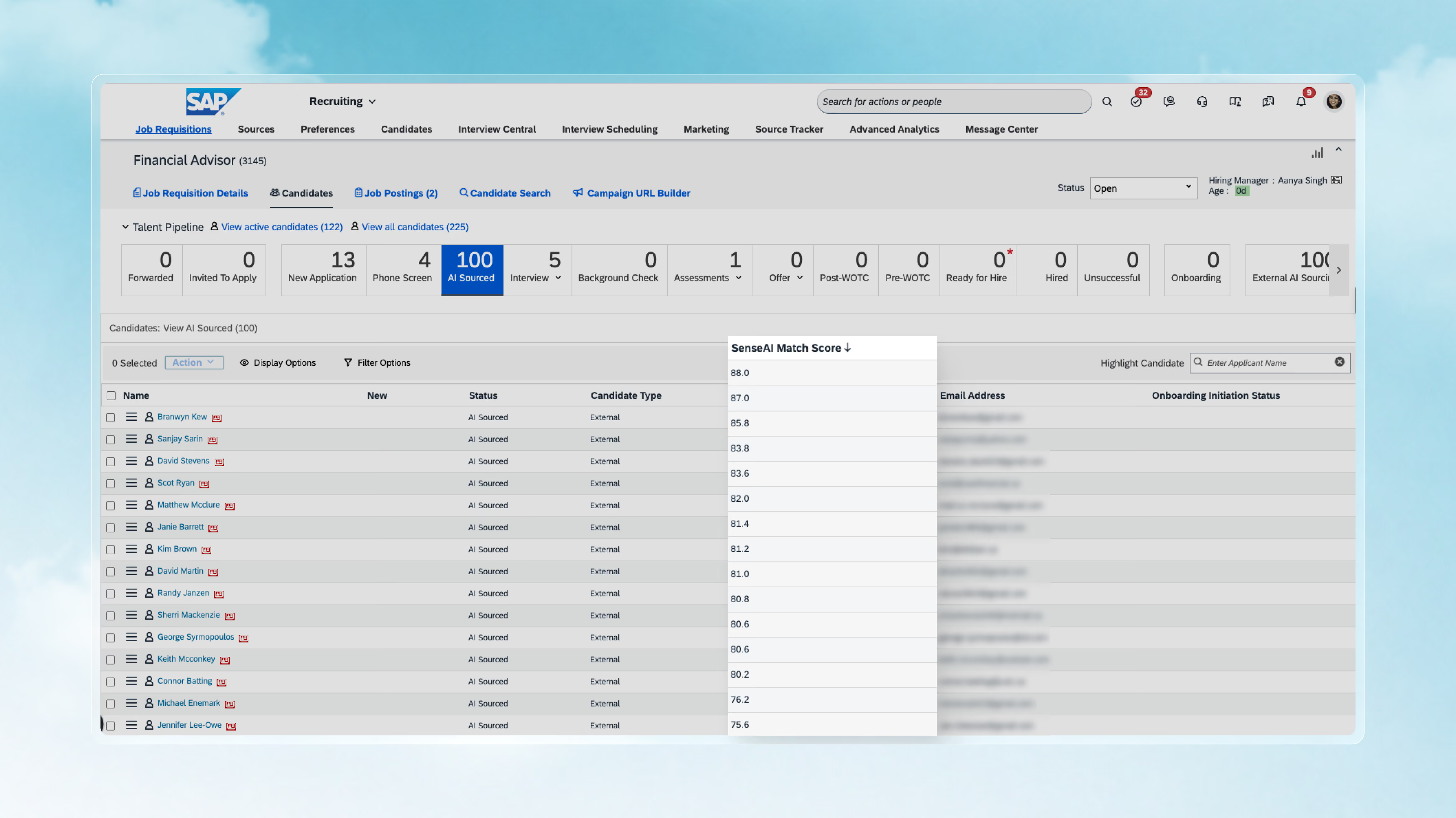
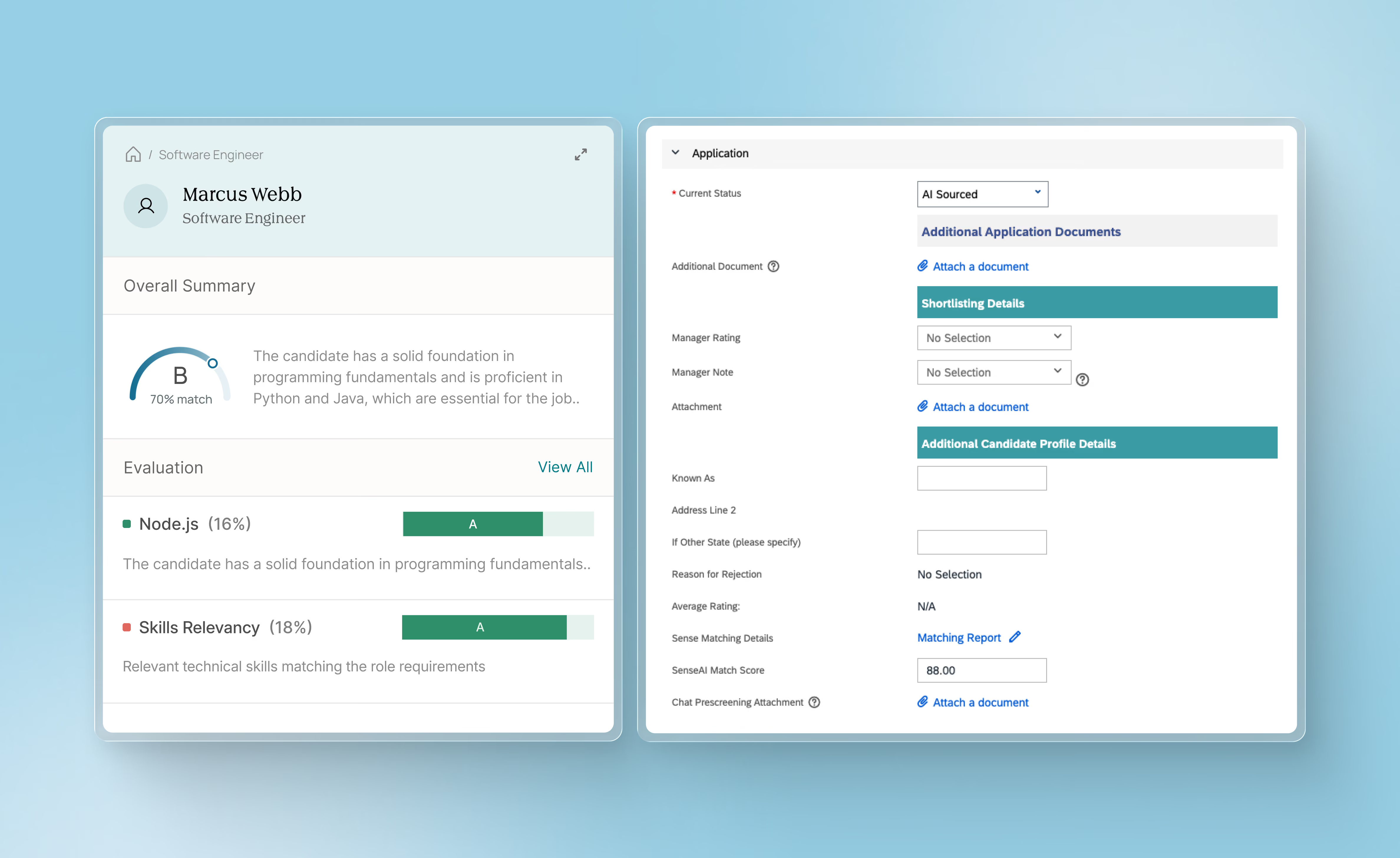
Every candidate is auto-evaluated the moment they apply, followed by AI Pre-screening/AI Interviews. The overall score, summary, and a full report card land in the candidate record, with optional stage movement.
What it is
What Senseloaf adds to SAP SuccessFactors
Everything lives in one place: the candidate's Notes in BambooHR. That's where Senseloaf writes the overall score and grade, a quick summary of the evaluation, and a link to the full report card — so you know exactly where a candidate stands without leaving BambooHR.

Senseloaf evaluates the candidate the moment they apply.

The score, grade, and summary land in Notes automatically.

The full report card is one click away for deeper review.
When it runs
The moment a candidate applies. AI Matching evaluates them against the role's criteria immediately
What happens next
Based on the match grade, the candidate can either be disqualified or moved to AI Pre-screening/AI Interview. Once completed, Senseloaf combines the match and screen/interview results into one overall grade.
WHERE IT LANDS
A new note in the candidate's record — with the overall grade, overall score, agent-specific scores, a quick summary, and a link to the full report card. A fresh note is added each time the candidate completes a stage
STAGE MOVEMENT
If hiring automation rules are configured, the candidate moved to the next stage automatically based on the overall grade
Writes back both ways
Candidates sourced in BambooHR flow into Senseloaf for evaluation. Once shortlisted or disqualified in Senseloaf, the stage updates back in BambooHR too
DECISION GOVERNANCE IN ACTION
Your rules, configured once. AI applies them to every candidate.
You don't always want to click through a pipeline. Sometimes you just need to know, “who finished an AI interview but hasn't been shortlisted?” or “who are the top five candidates for this role?”

Define rules before processing starts

Every score is explainable

Every move is logged in both systems
DECISION GOVERNANCE IN ACTION


Bias Management
SAME INTEGRATION · CONVERSATIONAL SURFACE
Run your SAP SuccessFactors pipeline in plain English — inside SIA Chat.
The whole integration, opened up in conversation. Review openings, pull résumés, add applicants, move stages, log notes — without switching tabs into BambooHR.
.svg)
.svg)
.svg)

.svg)
.svg)


"Show me applications for the Senior Recruiter role"
Live openings, full applicant detail, status history, screening answers — answered from your active SAP SuccessFactors integration.

Every change previews before it happens
Ask to move a candidate or create a request and SIA shows exactly what it's about to write — fields, stage, status. Nothing changes in SAP SuccessFactors until you confirm it.

It asks instead of assuming
Missing hiring lead? Ambiguous applicant name? A job status that can't be changed later? SIA checks with you first — it never guesses, and never claims to have done something it can't.

Compounded scoring.
Missing hiring lead? Ambiguous applicant name? A job status that can't be changed later? SIA checks with you first — it never guesses, and never claims to have done something it can't.
FAQs

Native. Senseloaf authenticates directly against your ATS instance, with no middleware and no third-party connector in between. Results write back to your candidate record, so they sit alongside your own data.
Three agents run against your data. Matching scores each applicant against your own rubric and shows the evidence behind the score. Pre-screening holds a real conversation over SMS, WhatsApp, or email. AI interviews run adaptive voice or video sessions. All three roll into one score, so the interview builds on the screen, and the screen builds on the match.
A recruiter still decides. Scores are recommendations, never automated rejections. Every AI action is logged against the candidate, so there's an audit trail behind any decision that followed a score. Matching models are bias-audited and trained without personally identifiable information.
Senseloaf writes only to the fields configured during setup — nothing else. It doesn't edit other candidate data, reject anyone outright, or change any configuration your admin hasn't approved, and wherever possible it uses your existing ATS statuses rather than creating new ones.
Only during implementation. Senseloaf needs admin access to create and verify the relevant fields while setting up. Once you're live, that access drops to API-only, and you can revoke it at any time.
No. No PII is used to train Senseloaf's matching models. Models are trained on diverse datasets and audited regularly for fairness and accuracy, independent of any one customer's data.
Senseloaf asks rather than assumes. If information needed to complete an action is missing or ambiguous, it flags it for you instead of guessing or proceeding with incomplete data.
Let's talk
See it on your own SAP SuccessFactors pipeline.
Your roles, your rubric — see a real requisition evaluated instantly, with a full report card.