.png)



Introduction
In today’s rapidly evolving business landscape, talent is the driving force behind organizational success. Yet recruiting that talent remains one of the most resource-intensive challenges companies face. Artificial intelligence (AI) is changing that equation—not by replacing recruiters, but by giving them superpowers.
This guide breaks down exactly how AI is transforming talent acquisition, what tools are available at each stage of hiring, and how your team can adopt them with confidence.
The Challenges of Traditional Recruitment
Before diving into solutions, it helps to understand what’s broken. Traditional methods introduce delays, biases, and inefficiencies at almost every step of the funnel.
| Challenge | Impact on Hiring | Severity |
|---|---|---|
| Manual resume screening | Recruiter spends 6–8 seconds per resume; top talent often missed | High |
| Unconscious bias | Skews candidate pools; reduces diversity | High |
| Slow scheduling | Average 5–7 days to coordinate one interview | Medium |
| Poor candidate experience | 67% of candidates never hear back (LinkedIn, 2023) | High |
| Inconsistent evaluation | Interviewer subjectivity leads to unpredictable outcomes | Medium |
| High cost-per-hire | Average $4,700 per hire in the US (SHRM, 2022) | Medium |
| Low-quality talent pipeline | Reactive sourcing misses passive candidates | Medium-Low |
A study by the Harvard Business Review found that 88% of job applications from qualified candidates are automatically screened out by legacy applicant tracking systems before a human ever sees them.
Key Benefits of AI in Hiring
AI doesn’t solve every recruiting problem, but it dramatically improves speed, consistency, and fairness across the recruitment lifecycle. Here’s a breakdown of the core benefits:
| Benefit | How It Works | Business Outcome |
|---|---|---|
| Faster Screening | NLP algorithms parse resumes against role requirements in milliseconds | Up to 90% reduction in screening time |
| Reduced Bias | Skills-based matching removes demographic signals from early ranking | More diverse shortlists and better EEOC compliance |
| 24/7 Candidate Engagement | AI chatbots answer questions, collect info, and schedule interviews any time | Higher application completion rates and positive employer brand |
| Predictive Retention | ML models analyze historical data to flag churn risk at hire | Lower turnover and higher long-term ROI per hire |
| Intelligent Sourcing | AI scans job boards, LinkedIn, GitHub, and niche platforms proactively | Larger, higher-quality passive candidate pipeline |
| Structured Interviewing | AI-generated question banks aligned to role competencies | Consistent, legally defensible evaluation process |
AI vs. Traditional Recruitment: Head-to-Head
| Metric | Traditional Recruiting | AI-Powered Recruiting |
|---|---|---|
| Time to screen 100 resumes | ~10–14 hours | ~2–5 minutes |
| Average time-to-fill | 42 days (SHRM avg) | 21–28 days |
| Candidate response rate | ~25–30% | ~55–65% (with chatbot follow-up) |
| Interview scheduling | 5–7 days via email/phone | Same day (automated) |
| Bias risk | High (cognitive bias) | Lower (when designed correctly) |
| Scalability | Linear (more roles = more headcount) | Exponential (handles 10× volume) |
| Data-driven insights | Limited, manual reporting | Real-time dashboards and predictive analytics |
| Candidate experience score | Often inconsistent | Consistently higher with AI-driven comms |
The biggest gains aren’t just speed—they’re consistency and scale. AI lets a team of 5 recruiters do the work of 20, while actually improving candidate quality and experience.
AI Tools by Hiring Stage
Not all AI recruiting tools do the same thing. Here’s a breakdown of what’s available at each stage of your hiring funnel:
| Hiring Stage | AI Capability | Example Tools / Features | Time Saved |
|---|---|---|---|
| Sourcing | Automated talent search across job boards, LinkedIn, GitHub | Senseloaf Intelligent Agent, Entelo, HireEZ | 40–60% |
| Resume Screening | NLP-based parsing and skills matching | Senseloaf Intelligent Agent, Greenhouse, Lever | 70–90% |
| Candidate Engagement | AI chatbots, personalized outreach at scale | Senseloaf Intelligent Agent, Paradox (Olivia), Phenom | 50–65% |
| Interview Scheduling | Automated calendar coordination | Calendly AI, GoodTime, Senseloaf Intelligent Agent | 80–95% |
| Skills Assessment | Adaptive tests, video AI analysis | HireVue, Pymetrics, Codility | 30–50% |
| Decision Support | Predictive scoring, retention likelihood | Senseloaf Intelligent Agent, Eightfold AI | 20–40% |
| Onboarding | Automated doc collection, personalized journey mapping | Workday, BambooHR AI, Senseloaf Intelligent Agent | 30–45% |
Industry Adoption & Real-World Examples
AI in talent acquisition is no longer experimental—it’s mainstream. Here’s how leading companies are using it today:
| Company | AI Application | Result |
|---|---|---|
| Unilever | AI video interviews + pymetrics game-based assessments for early-career hiring | Reduced time-to-hire by 75%; increased diversity of shortlists |
| IBM | Watson-powered skills matching for internal mobility and new hires | Improved quality-of-hire scores and reduced agency spend by $100M+ |
| Delta Air Lines | AI chatbot for high-volume customer-facing role screening | Processed 100,000+ applications with same team size |
| Hilton Hotels | AI interview scheduling and onboarding automation | Reduced time-to-fill from 42 to 5 days for hourly roles |
| L’Oréal | AI-driven candidate pre-screening chatbot (Mya) | 92% candidate satisfaction rate; screened 12,000 applicants in 2 weeks |
According to Korn Ferry, the global talent shortage could result in 85 million unfilled jobs and $8.5 trillion in unrealized revenue by 2030. AI-powered recruitment is one of the key levers organizations have to compete in this environment.
How to Get Started: Implementation Checklist
Ready to bring AI into your recruitment process? Follow these steps to build a solid foundation before selecting tools:
- Audit your current process. Map every step from job posting to offer letter. Identify the biggest bottlenecks (time, quality, bias).
- Define success metrics. Choose 3–5 KPIs to track: time-to-fill, cost-per-hire, offer acceptance rate, diversity ratios, quality-of-hire.
- Start with one high-volume pain point. Resume screening or interview scheduling typically deliver the fastest ROI. Don’t try to automate everything at once.
- Evaluate vendors on bias and transparency. Ask vendors: How is bias tested? Can I audit the algorithm’s decisions? Is the scoring explainable?
- Integrate with your existing ATS. The best AI tools connect seamlessly with Workday, Greenhouse, Lever, or whatever system you already use.
- Train your team. AI augments recruiters—it doesn’t replace them. Invest in upskilling so your team knows how to interpret and act on AI-generated insights.
- Pilot, measure, iterate. Run a 90-day pilot on a single role type. Measure against your KPIs and refine before scaling company-wide.
The companies that see the best ROI from AI recruitment tools are those that treat implementation as a change management project, not just a software rollout. Get recruiter buy-in early by showing how AI removes the tedious parts of their job.
Where AI in Talent Acquisition Stands in 2026
We’re no longer talking about what AI might do in recruiting—we’re living it. As of 2026, the technologies that were once on roadmaps are now standard practice for forward-thinking talent teams. Here’s a clear-eyed look at what has matured, what’s gaining momentum, and what to prioritize right now.
Now Standard: What Every Modern Recruiting Team Uses Today
Conversational AI and LLM-powered assistants are fully mainstream. Candidates interact with AI agents throughout the hiring journey—from the first touchpoint to offer negotiation—with experiences that are indistinguishable from human communication in many cases. Generative job descriptions that are inclusive, bias-checked, and SEO-optimized are now table stakes; writing JDs manually is the exception, not the rule.
Autonomous interview scheduling has effectively eliminated the back-and-forth email chains that used to waste days. AI agents manage calendars, handle rescheduling, and send reminders without any recruiter involvement.
Gaining Momentum: What High-Growth Teams Are Adopting Now
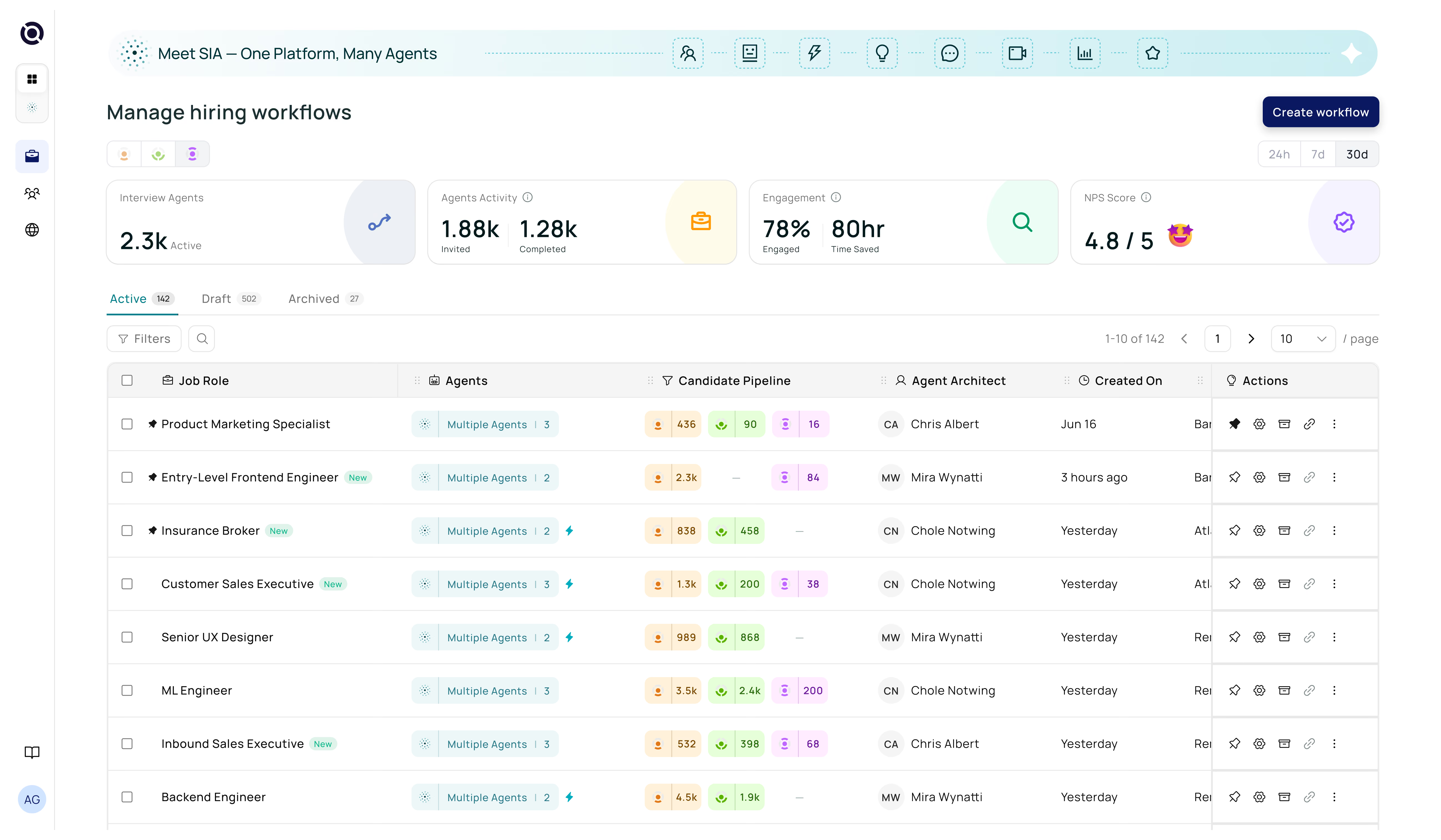
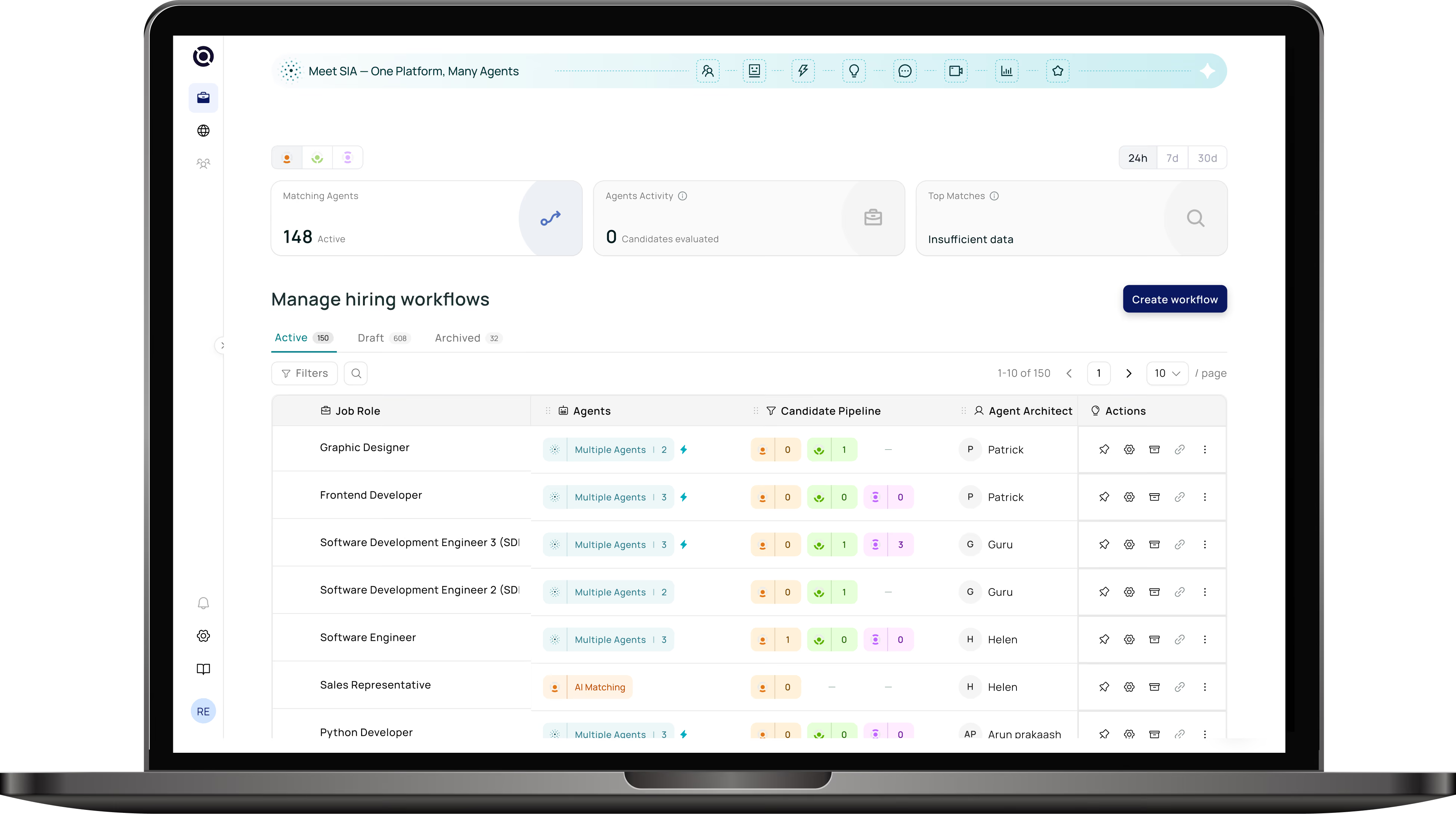
Agentic recruiting workflows—where AI agents autonomously complete multi-step tasks like sourcing, outreach, screening, and pipeline management—are moving from pilot to production at scale. The best platforms, like Senseloaf AI, combine intelligent agents with deep ATS integration so that entire recruiting workflows run with minimal human intervention, while keeping recruiters in control of the decisions that matter.
Skills-based hiring infrastructure powered by AI is replacing title- and degree-based filtering. AI models now map candidates to roles based on demonstrated competencies, inferred adjacent skills, and growth trajectory—giving organizations access to talent pools they previously overlooked.
Can’t Ignore: Ethical AI and Compliance in 2026
Regulatory pressure on AI hiring tools has intensified. Following New York City’s Local Law 144, several US states and the EU AI Act have established requirements for bias audits, algorithmic transparency, and human oversight in automated hiring decisions. In 2026, ethical AI isn’t a differentiator—it’s a compliance requirement. When evaluating any AI recruiting platform, confirm it provides explainable scoring, regular third-party bias audits, and clear documentation for legal defensibility.
If your recruiting team isn’t yet using AI for at least resume screening, scheduling, and candidate engagement, you’re already operating at a competitive disadvantage. The gap between AI-enabled and traditional recruiting teams has widened significantly over the past two years—and it’s accelerating.
AI Agents in Talent Acquisition: The Next Frontier
One of the most exciting developments in AI in talent acquisition is the rise of autonomous AI agents—systems that don’t just respond to commands, but proactively complete multi-step recruiting tasks with minimal human input.
Unlike a basic chatbot that answers a single question, an AI agent in talent acquisition can independently source candidates, send outreach emails, schedule interviews, follow up on no-shows, and update your ATS—all within a single workflow. Think of it as having a tireless digital recruiter working around the clock.
What Can AI Agents Do in Recruiting?
| AI Agent Task | How It Works | Human Oversight Needed? |
|---|---|---|
| Autonomous Candidate Sourcing | Agent searches job boards, LinkedIn, and GitHub based on role requirements; builds a ranked shortlist | Review shortlist only |
| Personalized Outreach at Scale | Agent drafts and sends tailored messages to passive candidates; manages replies and follow-ups | Spot-check tone and messaging |
| Interview Coordination | Agent checks calendars, proposes times, sends invites, and handles rescheduling autonomously | Minimal—exception handling only |
| Screening & Pre-Qualification | Agent conducts text or voice-based screening conversations and scores candidates | Review scores and transcripts |
| Pipeline Nurturing | Agent keeps silver-medalist candidates warm with relevant content and re-engages when new roles open | Approve campaign themes |
| ATS Data Entry & Updates | Agent logs all candidate interactions, status changes, and feedback automatically | Audit periodically |
Traditional AI tools are reactive—they respond when you prompt them. AI agents are proactive—they take a goal (e.g., “fill this role in 3 weeks”) and autonomously decide which steps to take, in what order, to achieve it. This is the core shift that makes AI agents in talent acquisition a game-changer for high-volume and time-sensitive hiring.
How to Use AI in Talent Acquisition: A Practical Starting Guide
If you’re wondering how to use AI in talent acquisition for the first time, the key is to start with a narrow, well-defined use case rather than trying to automate everything at once. Here’s a practical 3-step starter approach:
- Pick one repetitive task to automate first. Resume screening or interview scheduling are the fastest wins. Define clear pass/fail criteria so the AI has something concrete to work with.
- Connect your AI tool to your ATS. AI support in recruitment works best when it’s embedded in your existing workflow—not bolted on as a separate system. Most modern AI platforms integrate with Workday, Greenhouse, Lever, and others via API.
- Set a human review checkpoint. Before any candidate advances past AI screening to a hiring manager, have a recruiter review the AI’s top recommendations. This builds trust, catches errors, and keeps humans in the loop for high-stakes decisions.
AI Support in Recruitment and Talent Acquisition: Where It Fits Best
Effective AI support in recruitment and talent acquisition isn’t about replacing your team—it’s about removing the friction that slows them down. The areas where AI delivers the highest support value are:
| Recruiter Pain Point | AI Support Solution | Time Reclaimed per Week |
|---|---|---|
| Reading hundreds of resumes | Automated AI resume parsing and skills ranking | 6–10 hours |
| Back-and-forth scheduling emails | AI calendar agent handles all coordination | 3–5 hours |
| Writing job postings | Generative AI drafts inclusive, optimized JDs in minutes | 1–2 hours |
| Candidate follow-up communications | AI chatbot sends status updates automatically | 2–4 hours |
| Reporting and analytics | AI dashboards generate pipeline reports on demand | 2–3 hours |
| Sourcing passive candidates | AI agents proactively search and engage talent pools | 4–8 hours |
Used thoughtfully, AI support in recruitment and talent acquisition can give each recruiter back 15–30 hours per month—time they can reinvest in relationship-building, employer branding, and strategic workforce planning.
Frequently Asked Questions
Senseloaf Intelligent Agent automates the top of your recruitment funnel—from discovery and matching to engagement and scheduling—so your team can focus on what matters most. Book a free demo.