.png)


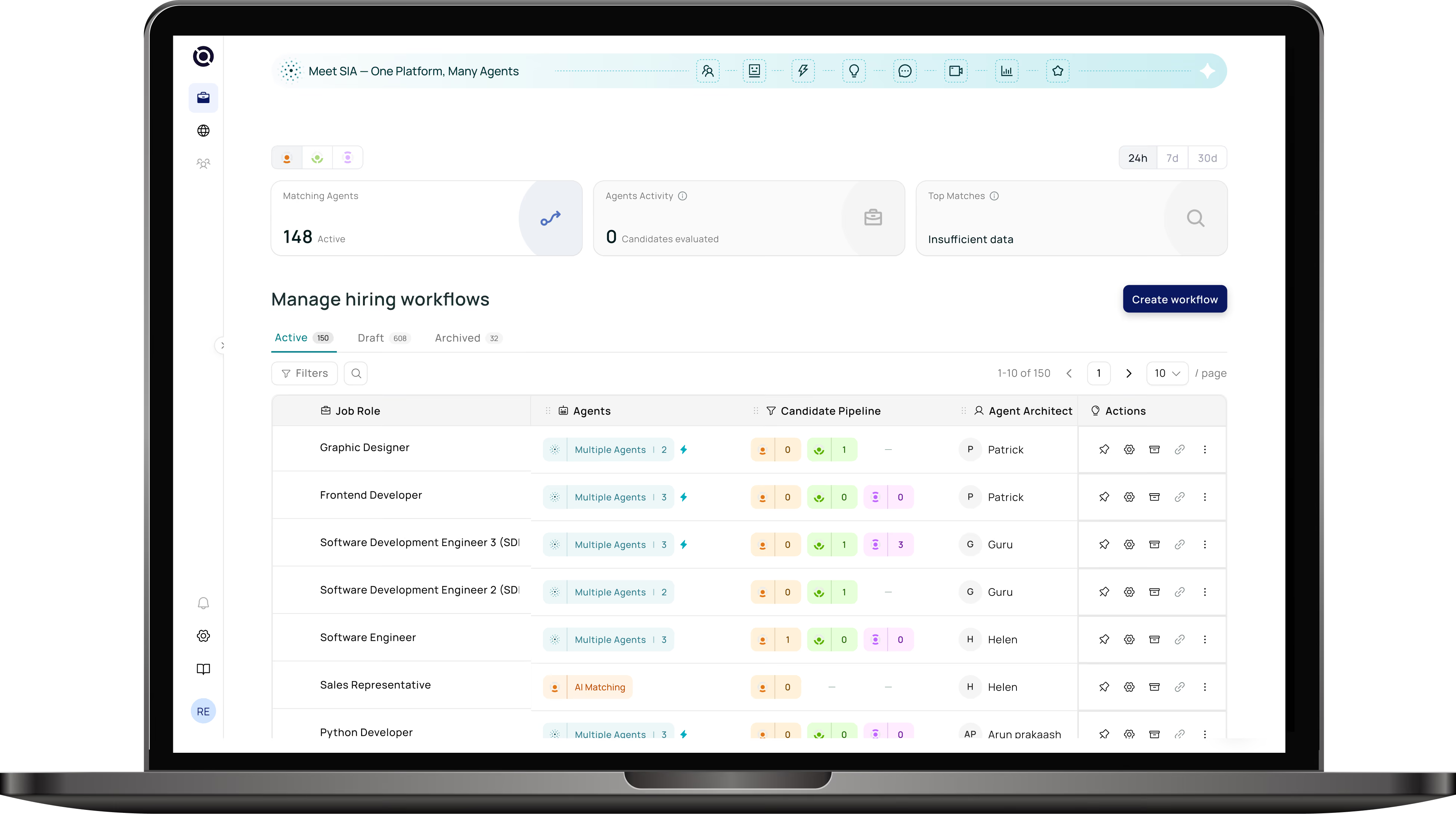

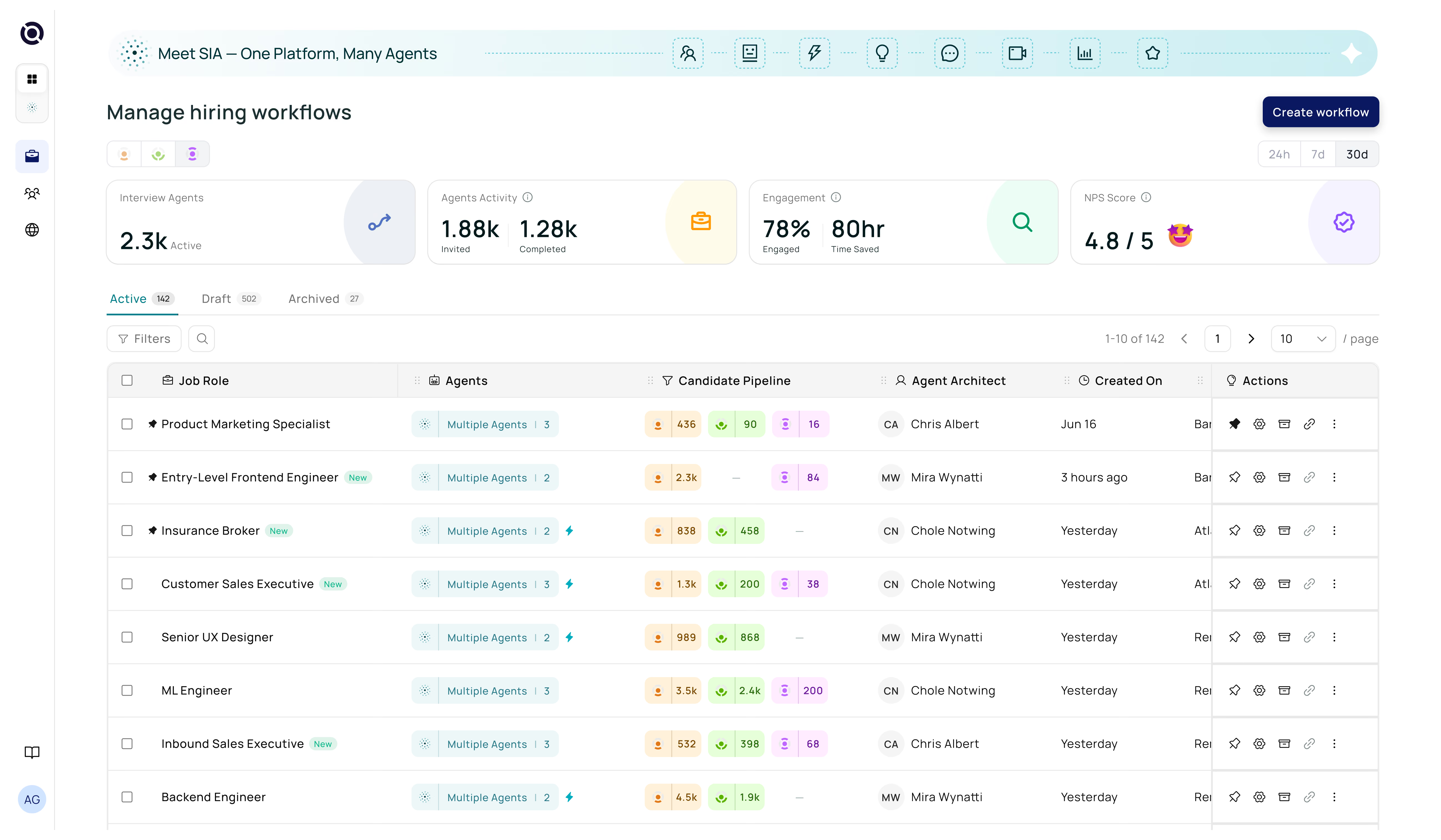
A practical, step-by-step guide to connecting AI hiring agents with your ATS — covering integration methods, implementation roadmap, common pitfalls, and how to measure ROI.
Introduction
By 2026, 79% of companies have integrated AI directly into their recruitment infrastructure — yet many are still running AI tools as disconnected add-ons that sit beside their ATS rather than inside it. The result: duplicate data, fragmented workflows, broken reporting, and a recruiter experience that's more complex than the problem it was meant to solve.
The organizations seeing the biggest gains aren't just adopting AI — they're integrating it correctly. A well-connected applicant tracking system with AI eliminates those disconnects entirely, embedding automation at every stage of the pipeline while keeping recruiters in control. This guide shows you exactly how to get there.
Why AI-ATS Integration Is No Longer Optional
Your ATS was built to organize and track. It stores candidate data, manages pipeline stages, and keeps hiring teams aligned. What it wasn't built to do is evaluate, converse with, score, or schedule at scale — and yet those are exactly the tasks consuming most of a recruiter's day.
The gap between what a standalone ATS can handle and what modern hiring volumes demand is where AI-powered applicant tracking systems — or more precisely, AI tools embedded deeply within ATS platforms — become essential. Unilever's AI-assisted ATS integration reduced hiring time from four months to four weeks, saving an estimated 50,000 recruiter hours. That's not an outlier result — it's increasingly the baseline expectation.
When AI recruiting tools operate outside your ATS, recruiters must manage two systems simultaneously — manually copying data, reconciling candidate records, and losing the reporting visibility they need. Integration isn't just convenient; it's what determines whether AI actually reduces workload or adds to it.
| ATS Friction Point | Business Impact | AI Integration Fix |
|---|---|---|
| Manual resume screening at high volume | Slower time-to-shortlist, recruiter burnout | AI screening agents with ATS sync |
| Inconsistent early-stage evaluation | Variable hire quality, bias risk | Structured AI prescreening |
| Scheduling and coordination overhead | 8–12 hrs/week lost per recruiter | Automated scheduling inside ATS |
| Candidates waiting too long between stages | Drop-off, lost top candidates | Instant AI engagement at each stage |
| Limited pipeline analytics | Reactive, not data-driven decisions | Structured scoring feeds ATS reporting |
Step 1 — Audit Your ATS and Identify Friction Points
Before choosing any AI tool, take stock of what your current ATS already does well — and where it breaks down under pressure. Many modern ATS platforms (Lever, Greenhouse, Workday, iCIMS, SAP SuccessFactors) offer some level of built-in automation or basic analytics. Understanding these existing capabilities prevents you from paying for duplication and helps you pinpoint where AI will deliver the highest marginal impact.
Questions to Ask During Your Audit
Where does your pipeline slow down most — application, screening, scheduling, or feedback? Which tasks are recruiters doing manually that a rule-based or AI system could handle? Where are candidates most likely to drop off or disengage? What data is your ATS capturing today, and what gaps are limiting your reporting? Are there stages where evaluation is inconsistent across different recruiters or hiring managers?
Document your answers against specific pipeline stages. This becomes your integration priority map — and the foundation for choosing the right AI use cases to start with.
Most teams that audit honestly find the same three high-friction areas: resume screening, early-stage candidate communication, and interview scheduling. These are almost always the best starting points for AI integration — they're high volume, highly repetitive, and well-suited to automation.
Step 2 — Choose the Right Integration Method
Not all AI-ATS connections are built the same way. The integration method you choose determines how deeply AI is embedded in your workflows, how much setup is required, and what level of customization is possible. There are three primary approaches, each suited to different team sizes and technical capabilities.
Native / Marketplace Plugin
Many ATS platforms (Greenhouse, Lever, Workday) offer marketplaces of pre-built AI integrations that install directly via the ATS admin console with minimal configuration.
How it works: Install the plugin, paste the AI provider's API credentials, map AI outputs (e.g., "fit score") to ATS custom fields, and set workflow trigger rules.
Fast setup, vendor-supported, no engineering required
Limited customization, potential licensing lock-in
Best for: Teams that want fast time-to-value with minimal IT involvement.
API-First Integration
Direct API connections between your AI recruiting tool and your ATS allow for fully custom data flows — bidirectional sync of candidate profiles, scores, notes, and status updates.
How it works: Your AI provider and ATS exchange data via REST APIs. Custom field mapping ensures AI outputs land exactly where your team expects them inside the ATS.
Maximum flexibility, deepest data integration, supports complex workflows
Requires engineering resources and ongoing maintenance
Best for: Enterprise teams with dedicated technical staff and complex pipeline requirements.
Low-Code / Middleware
Middleware platforms (Zapier, Make, Workato) connect AI recruiting tools to your ATS through visual workflow builders — no coding required but more flexible than native plugins.
How it works: Trigger-based rules push data between systems (e.g., "when a candidate reaches Stage 2 in the ATS, trigger AI prescreening and write results back").
Flexible, faster than custom API work, accessible to non-technical teams
Can break with API updates, less reliable for high-volume pipelines
Best for: Mid-size teams that need more flexibility than native plugins but lack dedicated engineering resources.
If your AI recruiting tool requires recruiters to log into a separate system, check a separate inbox, or manually export data back into the ATS — the integration isn't deep enough. True AI-powered applicant tracking system integrations write everything back into your ATS automatically. Recruiters should never need to leave the platform they already use.
Step 3 — Start with the Highest-Impact Use Cases
One of the most common integration mistakes is trying to automate everything at once. A phased approach — starting with the two or three stages that create the most friction — lets you demonstrate quick wins, build internal confidence, and course-correct before scaling AI across the full pipeline.
| Use Case | What AI Does | Time Saved | Priority |
|---|---|---|---|
| Resume screening | Matches resumes to JD, generates fit scores, flags top candidates — all synced to ATS profiles | 50–95% of manual review time | Start here |
| AI prescreening | Runs structured role-aware conversations with every applicant; writes summaries into ATS | All first-touch recruiter calls | Start here |
| Interview scheduling | Self-serve calendar booking, automated reminders, rescheduling handling | 8–12 hrs/recruiter/week | Start here |
| Candidate engagement | Automated status updates, follow-ups, and pipeline nudges between stages | Reduces candidate drop-off 30–40% | Phase 2 |
| AI interviewing | Structured async video/voice interviews for early-stage roles; insights synced to ATS | Replaces ad-hoc phone screens | Phase 2 |
| Onboarding coordination | Automates paperwork, orientation scheduling, resource delivery post-hire | Reduces new hire admin by 60%+ | Phase 3 |
For most teams, resume screening, AI prescreening, and scheduling represent the fastest path to measurable ROI — and they connect naturally to the stages where a well-built applicant tracking system with AI delivers the most visible improvement in pipeline velocity.
Step 4 — Configure and Go Live
Once you've chosen your integration method and identified your priority use cases, implementation follows a consistent pattern regardless of which ATS or AI tool you're working with.
Field Mapping — Align AI Outputs to ATS Data Structure
Define exactly how AI outputs will appear inside your ATS. Map fields like "candidate fit score," "prescreening summary," and "recommended next step" to specific ATS custom fields so hiring teams always know where to find AI insights without changing their workflow. Poor field mapping is the number one cause of messy ATS data post-integration.
Workflow Triggers — Define When AI Activates
Set precise rules for when each AI agent fires. For example: "When a candidate is added to Stage 1, activate AI screening. When fit score is above 75, trigger AI prescreening. When prescreening is complete, send scheduling link." Clear triggers prevent AI from running on the wrong candidates at the wrong stages and ensure every activation is intentional and auditable.
Pilot on One High-Volume Role
Before rolling out across all pipelines, run a 2–4 week pilot on a single high-volume role. This gives you clean before-and-after data, surfaces any field mapping issues or trigger logic gaps, and generates the internal proof points needed to expand confidently. Measure time-to-shortlist, recruiter hours per hire, and candidate response rates against your pre-integration baseline.
Train Your Team — Then Scale
The teams that succeed with AI integration are those that build genuine recruiter literacy around what the AI does and doesn't do. Brief recruiters on how fit scores are generated, what prescreening summaries include, and how to flag anomalies. Once the pilot proves out, scale the same configuration across other roles and hiring teams — using the pilot results as your internal case study.
Step 5 — Build Governance and Human Oversight In
AI recruiting integration without governance is a liability. When AI systems learn from historical hiring data, they can inadvertently perpetuate past biases — a well-documented risk that researchers at Harvard Business School have flagged in the context of automated screening tools that disadvantaged candidates with employment gaps or non-traditional career paths.
The right AI-powered applicant tracking system integration includes governance by design, not as an afterthought.
| Governance Area | What to Implement | Why It Matters |
|---|---|---|
| Explainable scoring | AI fit scores must show which criteria drove the result — not just a number | Enables recruiter review and challenge; reduces black-box risk |
| Human-in-the-loop controls | Recruiters approve or override AI recommendations at key decision points | Maintains accountability; required for compliance in many jurisdictions |
| Bias auditing | Regular review of AI screening outputs across demographic groups | NYC AI Bias Audit law and similar regulations require documented fairness testing |
| Data privacy controls | GDPR/CCPA-compliant data handling; PII masking where appropriate | Candidate trust and legal compliance |
| Activation rule transparency | Document exactly when and why each AI agent activates | Auditable hiring process; protects against legal challenge |
IBM's 2025 Cost of a Data Breach report found that 97% of AI security breaches involved systems that lacked proper access controls. When integrating AI with your ATS, ensure the connection uses encrypted API calls, role-based access permissions, and audit logging for all AI-generated actions on candidate records.
Step 6 — Measure ROI and Scale
Integration without measurement is just assumption. Establish your baseline metrics before go-live and track against them consistently after. These are the metrics that translate AI recruiting integration into business outcomes that leadership understands.
| Metric | What to Measure | Typical AI Impact |
|---|---|---|
| Time-to-shortlist | Days from application to qualified shortlist | 50%+ reduction |
| Time-to-hire | Days from job open to offer accepted | 30–50% reduction |
| Recruiter hours per hire | Total recruiter time invested per successful hire | 40–60% reduction |
| Candidate response rate | % of candidates who engage with outreach or prescreening | Significant improvement with AI engagement |
| Pipeline drop-off rate | % of candidates who disengage between stages | 30–40% reduction with automated follow-ups |
| Cost per hire | Total ATS + AI spend divided by hires closed | Lower as volume scales |
| Quality of hire (90-day retention) | % of AI-assisted hires still employed at 90 days | Improves with better matching accuracy |
Once your pilot use cases show positive movement across two or more of these metrics, you have the internal case to scale — expanding AI integration to additional pipeline stages, additional roles, or additional business units using the same configuration as your proven model.
5 Common Mistakes to Avoid
Most AI-ATS integration failures trace back to the same set of avoidable errors. Here's what to watch for — and how to course-correct before they become expensive problems.
When AI lives outside the ATS, recruiters face two systems, duplicate data entry, and broken reporting. The result is more complexity, not less. Always insist on bidirectional ATS sync as a non-negotiable requirement.
Evaluate every AI recruiting tool by asking: "Does this write results directly into my ATS candidate profiles — or does it require a separate dashboard?" If the answer is the latter, keep looking.
Teams that roll out AI across all pipeline stages simultaneously often discover field mapping errors, trigger logic gaps, and bias issues too late — after they've already affected real candidates. Scale-before-validate is the most common cause of failed AI deployments.
Always pilot on one high-volume role for 2–4 weeks. Use that pilot to validate data quality, test trigger logic, and gather recruiter feedback before expanding. A phased approach costs nothing extra and prevents costly rollbacks.
A fit score of "82" means nothing if recruiters can't see why a candidate scored that way. Black-box AI recommendations undermine recruiter trust, increase legal exposure, and make bias detection impossible.
Only consider applicant tracking systems with AI that provide explainable outputs — showing which specific criteria (skills, experience, role alignment) drove each recommendation. Transparency is a product requirement, not a nice-to-have.
AI bias audits, access controls, and human-in-the-loop checkpoints feel like overhead — until a compliance investigation or legal challenge reveals they were missing. Regulation in this space is tightening rapidly; NYC's AI Bias Audit law is already in effect, and similar legislation is expanding.
Build governance into your integration from day one: document activation rules, schedule quarterly bias audits, require explainable scoring, and establish clear human override protocols at every key decision point.
Without pre-integration benchmarks, you can't prove AI's impact — to leadership, to your team, or to yourself. Many integrations that "seemed to work" were actually never measured against the problem they were meant to solve.
Capture your current time-to-shortlist, recruiter hours per hire, and candidate drop-off rate at least 30 days before go-live. These baselines are the foundation of your ROI story — and the clearest signal for where to focus next.